Android app
Your flat plan by the cardinal directions
Take a photo of your flat or house plan. VastuLab finds the rooms, divides the plan into eight directions and shows, in Vastu terms, what to place where — in plain words, without drafting jargon.
The Android app is being prepared for release.
The app interface is in Russian for now.
- The full photo stays on your phone
- No sign-up
- The result on screen is free
How it works
All you need is a plan: a page of the property passport, a plan from the developer, or a hand drawing.
Photograph the plan
Take a photo of the plan page or pick an existing image. Keep only your flat inside the frame — the stamp with your address stays out of the check.
Rooms are found for you
The app finds the rooms on the plan. You just label the kitchen, bedroom, bathroom. A room was missed? Trace it with your finger.
Mark the essentials
The front door, windows, stove and north. Every step has a hint; optional steps can be skipped.
Get the findings
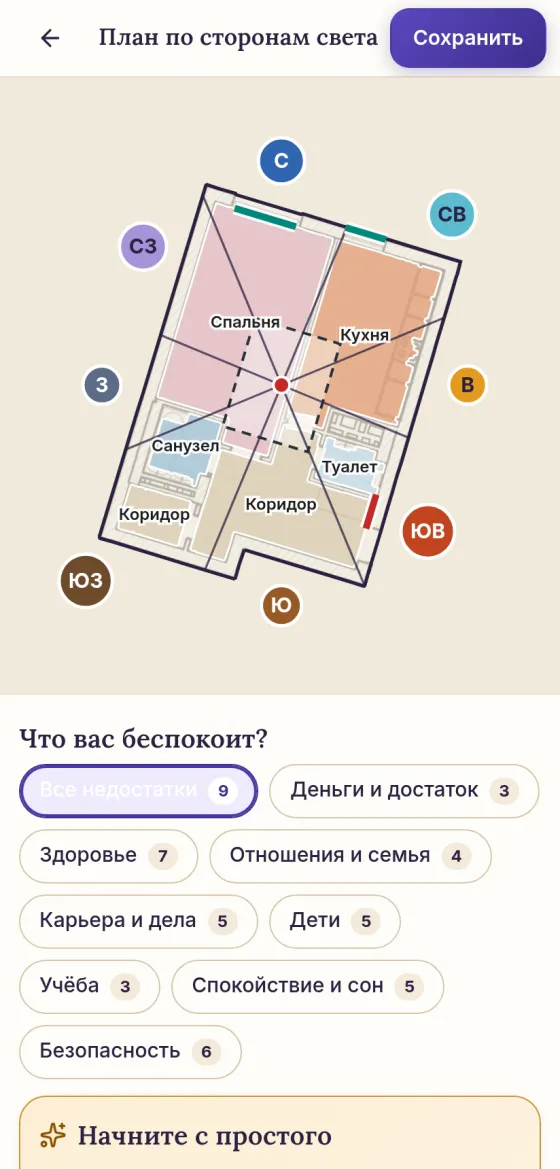
The plan by the eight directions, Vastu defects and advice: what to place where and what will change.
Inside the app
Rooms are found for you
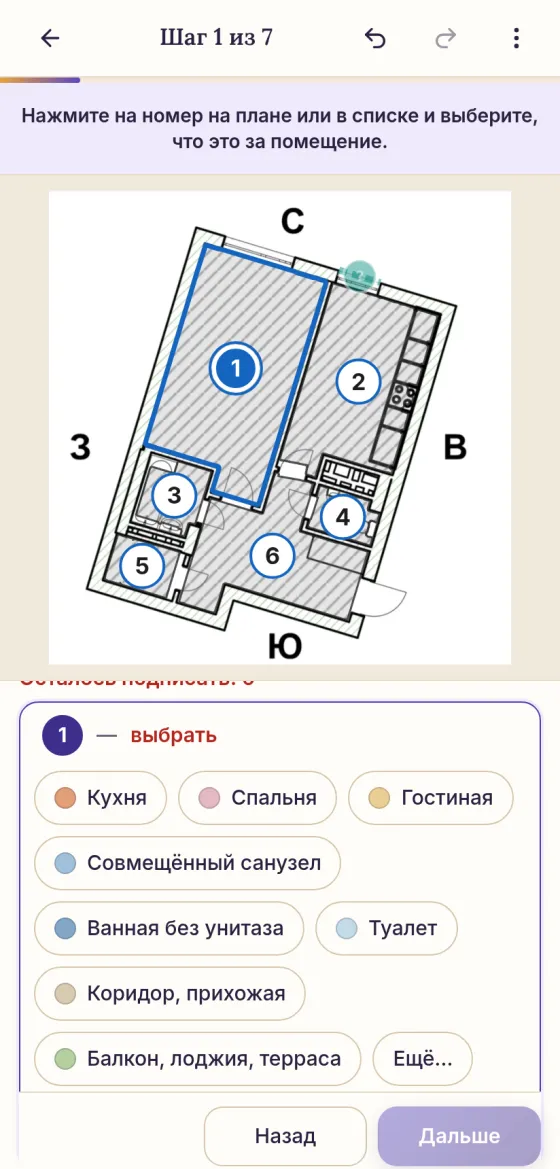
The app finds rooms, bathrooms and corridors on the photo of the plan and numbers them. Tap a number and choose what the room is. If a room is found wrongly, you can split it, merge it with a neighbour or trace it again.
North is set with an arrow: from the arrow on the plan itself or from your phone's compass by the window.
Findings by the cardinal directions
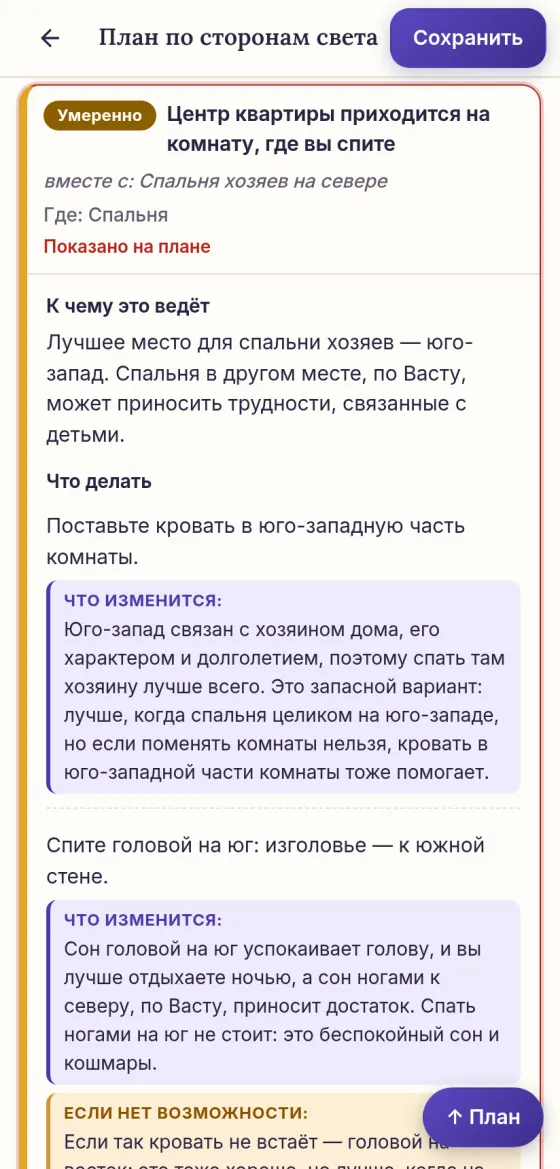
First, the plan with eight directions and the centre of the flat. Below it, the Vastu defects, from the most serious to minor ones. Tap a defect and it lights up on the plan.
First steps that need no renovation and no purchases: how to place the bed, what to move away from the front door, what to keep free.
Every piece of advice says what it changes in life: sleep, money, work, relationships. No vague words.
The bed cannot be turned, the wardrobe does not fit? The app suggests a fallback or tells you what to avoid.
What you get
- Your flat or house plan divided into eight directions, with the centre.
- Vastu defects marked on the plan: exactly where and how serious.
- Advice on what to place where and what to do, tied to the walls, windows and doors of your flat.
- “What will change” for every piece of advice, and a fallback when the main option does not fit.
- Viewing the result is free. With VastuLab Premium your analyses are saved in “My analyses” to come back to any time.
- Flat or private house: the app asks and takes the difference into account.
Your plan stays yours
The photo of the plan is kept only on your phone. Only the cropped plan, to find the rooms, and the markup, for the findings, go to our server, and they are not stored there. No accounts, no ads, no analytics.
Read about Vastu
A kitchen in the northwest of the flat: what Vastu suggests
Why a kitchen in the northwest counts as a defect in Vastu and what to do without and with renovation: light, finish colours, wind chimes.
The centre of the flat in Vastu: why it is kept free
Why the centre of the flat matters for every area of life in Vastu, what is unfavourable there and what to do: a free centre, heavy things to the southwest, decluttering.
See your flat in a new way
All it takes is a plan and five minutes.
The Android app is being prepared for release.